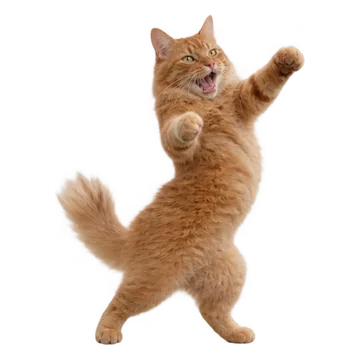
A dancing-pet GIF starts with a full-body photo of your cat or dog. Pick the single-pet effect for one dancer or the trio effect for three matching copies. Your pet does not need to perform a trick; the movement is a fictional AI animation.
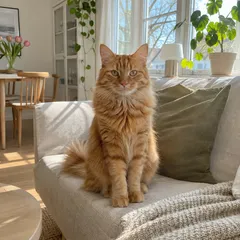
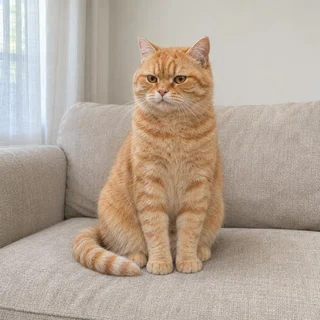
Choose a sharp photo showing the head, body, paws and tail. Leave space around the animal instead of cropping tightly. A close-up face is better suited to reaction stickers. Avoid a blanket or furniture hiding most of the legs, because the generation has less reference detail for those parts.
Choose one dancer or a trio
The dancing-cat and dancing-dog pages use Dancing Pet with a dance preset. The kittens-trio page repeats one reference three times; it does not combine three separate pets. Use the option shown in the workspace and keep the photo requirements in mind before generating.
Review paws, balance and repeating motion
Watch the full loop rather than judging only the first frame. Check for extra paws, a changing tail, drifting fur patches or feet that slide. For a trio, compare the markings on all three copies. If the body is distorted, return to a clearer full-body reference before trying another export.
Export for a message or a video post
Choose the available GIF for an animated message or MP4 for a video post. The animation is silent. GIF and MP4 can have different download options, so read the price and format shown for the creation. If you need a smaller GIF after downloading, use the compressor; if you already have a real pet video, use MP4 to GIF instead of generating new motion.
From download to your chat
Telegram
Use the WebM video sticker export, then follow the Telegram guide to add the pack.
WhatsApp
Download WhatsApp-ready WebP files, then use a compatible sticker importer. A website download does not install a whole pack. See the import steps.
iMessage & social video
Share GIFs in messages or an available silent MP4 on social platforms.
Questions before you start
Do I need three cat photos for a dancing trio?
No. The trio uses one reference and makes three matching dancers. Use a different workflow if you need three individually recognizable pets.
Can I turn an existing dog video into a GIF?
Yes, use the MP4-to-GIF file converter to trim and convert existing footage. The dancing-pet generator instead invents motion from a still photo.
Will the dance include a trending song?
No. These outputs are silent. Add music through your publishing platform only when you have permission to use it.
Make a dancing cat GIF from your own cat photo. Use a full-body reference, choose a dance style and review a short loop before downloading the available GIF or MP4.
Style
Telegram sticker sets · WebP for WhatsApp · GIF for iMessage · MP4 for TikTok. WhatsApp and iMessage need a separate import step. How to add stickers



 +13


 +13