How to Turn Your Dog or Cat into a Sticker Pack
A good pet pack should still look like your pet when the expression changes. Focus on a clear reference, a consistent style and a careful review of ears, muzzle and coat patterns.
1. Pick one clear pet portrait
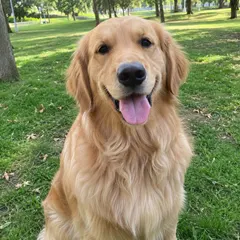
Use an awake dog or cat with the face in focus. Leave room around ears and whiskers. Avoid a chew toy covering the muzzle, a strong side profile or multiple animals in one reference. For a dog, include the full ear shape; for a cat, make eye color and face markings visible.
2. Choose a style for the whole pack
Open Pet Moods Pack and choose 3D toy, Cartoon or Pixel. Keep one style across the set so expressions feel related. A strongly simplified style may lose small fur details, so decide which markings are essential before accepting the results.
3. Review all 16 expressions
Compare each result with the reference. Look for swapped eye colors, changing coat patches, cropped whiskers and extra paws. Watch the full motion loop, not just its first frame. Use the pack’s remake controls for weak expressions when available.
4. Export for the chat app you use
Choose Telegram WebM files for Telegram video stickers or WhatsApp-ready WebP files for a compatible WhatsApp importer. A GIF is useful as a shared animation but does not install an entire sticker pack. Follow the linked platform guide before sending your first sticker.
From download to your chat
- Telegram
- Use the WebM video sticker export, then follow the Telegram guide to add the pack.
- Download WhatsApp-ready WebP files, then use a compatible sticker importer. A website download does not install a whole pack. See the import steps.
- iMessage & social video
- Share GIFs in messages or an available silent MP4 on social platforms.
Questions before you start
Can I make a pack for each of my pets?
Yes, use a separate reference and creation for each pet. This makes it easier to review identity without mixing their markings.
Should I use the dancing template for expressions?
Use Pet Moods Pack for a coordinated set of facial reactions. Dancing Pet is a separate single-motion meme template.